

A backup retention policy is a written rule that says which data you back up, where the copies live and how long each copy is kept before it is deleted. For most small and midsize businesses the right answer is a layered schedule: short-term daily copies for fast recovery, monthly copies reaching back far enough to find a clean restore point, and longer copies only for records a law or contract makes you keep. This guide walks through how to set each layer, what US rules actually say, and how to keep the encryption keys that make old backups usable. If you would rather have someone design and run it with you, our free technology assessment is where we start.
TL;DR
- No US regulation we reviewed sets one universal backup retention period. Your period comes from recovery needs, then gets capped by privacy rules and extended by legal holds and records schedules.
- A workable SMB default is a tiered schedule: dailies for a few weeks, monthlies for a year, and annual copies only where a record rule requires them.
- Retention is a cost decision as well: every extra month of locked or immutable copies is billed storage.
- Encrypted backups have two things to protect, the data and the key. Align key retention with backup retention.
- Test restores from your oldest copies, not just last night's.
Table of Contents
- What a backup retention policy has to answer
- Start from recovery, not from a number
- A tiered schedule that fits most SMBs
- What US rules say about retention periods
- Retention and cost
- Encryption keys: the retention rule people forget
- Test the oldest copies
- A one-page policy template
- Where we can help
- Our perspective
- FAQ
- Sources
What a backup retention policy has to answer
According to TechTarget's guide to retention policies, the policy is an internal rule covering what you keep, where you keep it and for how long. It can also name acceptable media (tape or cloud), methods (full, incremental or differential backups) and deletion rules.
Three plain terms help here:
- Full backup: a complete copy of the selected data.
- Incremental backup: a copy of only what changed since the last backup, which saves space and time.
- Restore point: a specific moment in time you can roll systems back to.
Write the policy so that someone who was not in the room can answer five questions: what is backed up, how often, where the copies go, how long each tier lasts, and who may delete or change any of it.
Start from recovery, not from a number
Search results love to hand you a figure: 7 days, 30 days, 90 days. Those figures are habits, not rules. The useful question is how far back you might need to go to find a copy that is still clean.
The FFIEC IT Examination Handbook says management should set retention for each iteration of a backup. It notes that near real-time replication can copy malware along with good data, and that critical files may justify longer retention so you can recover a version from before a corruption event. That is the logic to follow. Ransomware and silent corruption are often discovered days or weeks after they start. If your oldest copy is only a week old and the damage began ten days ago, every copy you hold is contaminated.
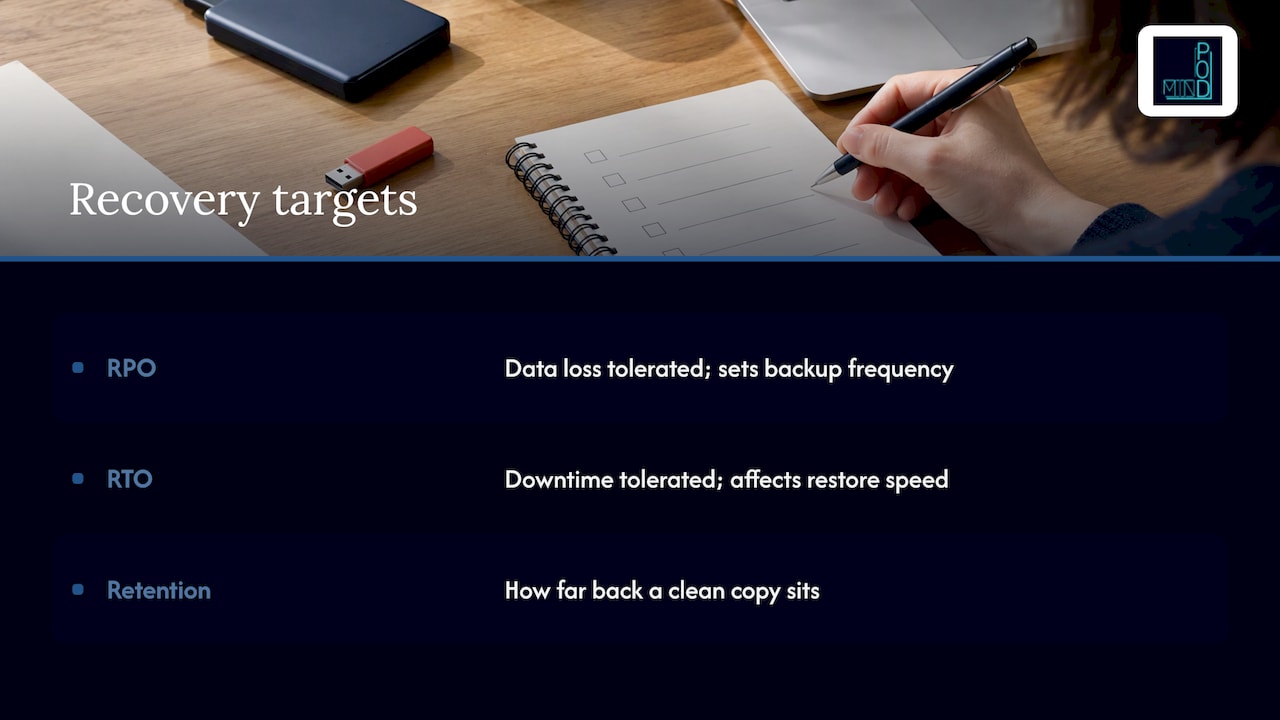
Two targets frame the decision. Your recovery point objective (RPO) is how much recent data you can afford to lose, and it sets backup frequency. Your recovery time objective (RTO) is how long you can be down, and it affects where copies must live so they restore quickly. We cover both in RTO vs RPO: setting recovery targets that hold. Retention then answers a third question: how far back can a clean point sit?
A tiered schedule that fits most SMBs
The common structure is called grandfather-father-son: frequent short-lived copies, fewer medium-lived copies, and a handful of long-lived ones. Here is a starting layout you can adjust:
| Tier | Frequency | Typical keep period | Purpose |
|---|---|---|---|
| Daily | Every night (more often for databases) | 30 days | Accidental deletion, bad updates, quick rollback |
| Weekly | One per week | 8 to 12 weeks | Corruption or malware noticed late |
| Monthly | One per month | 12 months | Month-end finance, audits, slow-burn incidents |
| Annual | One per year | Only if a record rule or contract requires it | Regulatory and legal hold |
These periods are a planning example, not a regulatory standard. Adjust them to your recovery needs and to the records your systems hold.
Where it goes wrong: teams set the daily tier and forget the rest, or they set long tiers on every system, including ones with no business value after a month. Classify systems first. CISA's small business backup guidance tells you to inventory business-critical data, such as customer and client records, HR information, financial and payroll data, email, configuration files and operational databases, and prioritize it. Give the critical group the long tiers. Give the rest the short ones.
CISA also recommends the 3-2-1 rule: three copies of important files, on two different types of storage, with one copy off-site. It advises encryption, offline copies and checking that your team can roll data back at least seven days. Retention periods apply to each copy, so decide whether the off-site copy keeps the same tiers as the local one. Our walkthrough of adding an immutable copy to a 3-2-1 plan shows how the pieces fit together, and offsite backup targets covers where the off-site copy should live.
What US rules say about retention periods
Here is the part that surprises people: backup retention and records retention are different obligations. A records schedule says how long you must keep certain documents. A backup is a safety copy of systems that happen to hold those documents. Most laws speak to the first, not the second.
Rules that name a period
- Broker-dealers (SEC): Rule 17a-4 requires covered firms to preserve specified records for at least six years, the first two in an easily accessible place. Electronic systems need either a complete time-stamped audit trail or a non-rewriteable, non-erasable format, plus a backup recordkeeping system or other redundancy. The 2022 amendments, effective January 3, 2023 let firms choose a backup system or other redundancy, with geographic separation of primary and backup hardware named as one way to get there.
- Healthcare (HIPAA): The Security Rule requires a data backup plan that can produce retrievable exact copies of electronic protected health information, but it sets no backup retention period. The six-year rule applies to HIPAA compliance documentation. Backup length is driven by your risk analysis, state medical-record laws and the terms of your business associate agreements.
- Everyday business records: one SMB records-retention summary collects typical US minimums, including at least four years for employment tax records and three years for payroll records under the Fair Labor Standards Act. Confirm your own figures with your accountant or counsel, since state rules and contracts can run longer.
Other regulated trades publish schedules in the same spirit, for example mortgage broker data retention periods, and the pattern is the same: the rule names records, and your backup design has to make sure those records survive.
The deletion problem
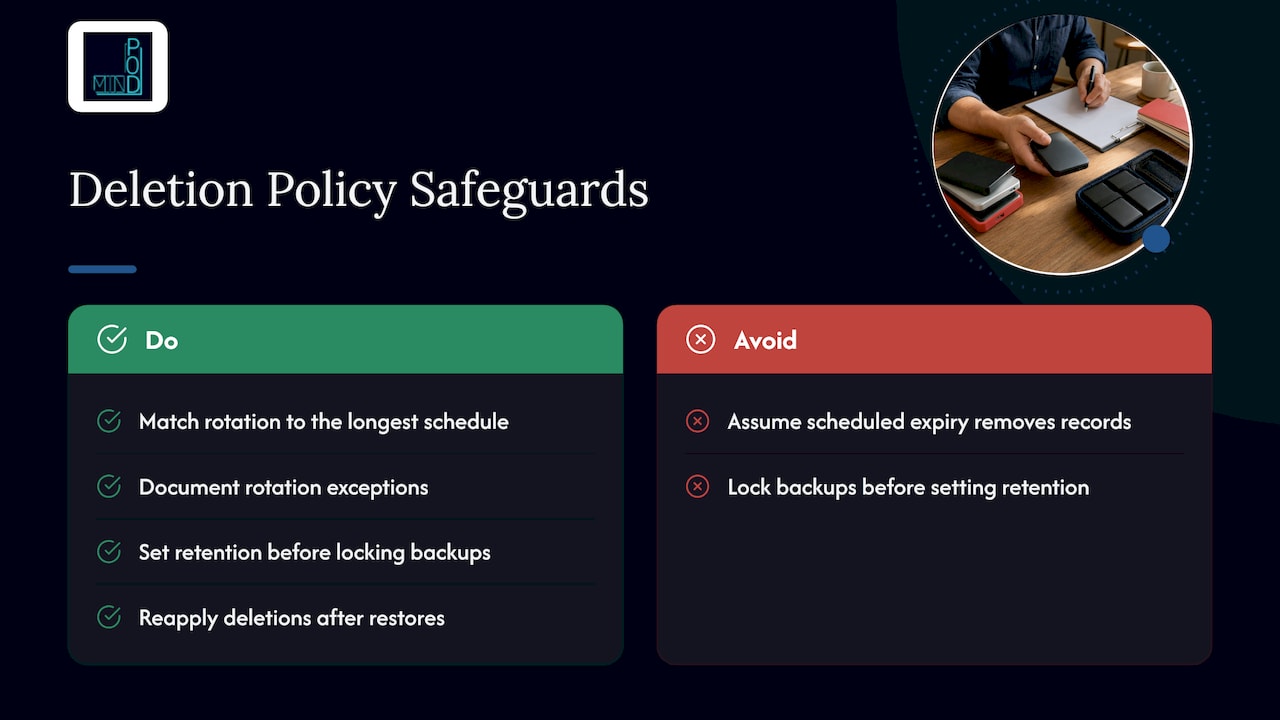
The same summary warns that deleted records survive in backup chains after the retention schedule says they should be gone. Its advice is to match backup rotation to the longest schedule a backup contains, or document the exception. It also notes that immutable backups resist deletion by design, so decide the retention period before you lock them. If a customer or employee deletion request reaches you, your policy should say how deletions are re-applied after a restore.
If you are in a regulated industry, or you hold a legal hold notice, your counsel decides the final period. The policy documents what they decide.
Retention and cost
Every extra tier is capacity you pay for. Immutable and locked copies cannot be removed until their lifecycle ends, so a retention period set too long becomes a fixed storage bill. Before you commit, estimate cost this way:
- Take the size of one full backup.
- Estimate daily change (often a small percentage of the total).
- Multiply across each tier's copies and its keep period.
- Price the total at your storage rate per gigabyte per month, including any minimum billing durations on archive tiers.
A short worked example: a 2 TB file server with a 1 percent daily change keeps one full copy plus 30 daily increments of about 20 GB each, roughly 2.6 TB, before weekly and monthly fulls. Add twelve monthly fulls and you are near 26 TB. Frequent fulls are the cost driver, so keep long tiers for critical systems only. Review the result with the same discipline you would apply to compute spend, as in our guide to cloud rightsizing for SMBs.
Encryption keys: the retention rule people forget
An encrypted backup is only as recoverable as its key. OWASP's key management guidance states that data encrypted with a lost key will never be recovered, so long-term encrypted data needs secure key backup. It also advises storing the key database in a FIPS 140-2 or 140-3 validated module. The same guidance says encryption keys may be escrowed (held in safekeeping), while digital-signature keys should not be.
NIST SP 800-57 Part 1 defines a key's retention period as the minimum time its material should stay in the archive, and says risk factors such as data volume, the security life of the data and the number of key copies should drive those decisions.
Turn that into policy:
- Match key life to backup life. If you keep monthly copies for twelve months, the keys that unlock them must be preserved at least that long, including older key versions after rotation.
- Separate the key from the data. Keys stored beside the backup fail together with it. Limit who can delete keys and require multi-factor authentication for deletion. Our guide to phishing-resistant MFA covers the rollout.
- Use two holders in two places. For example, a managed password vault plus a sealed copy stored elsewhere under a named owner.
- Document recovery of a disabled key, and put key availability into your disaster recovery plan.
- Prove it. The test that matters is restoring an encrypted copy onto an empty machine using only the written recovery kit.
Test the oldest copies
A policy nobody has exercised is a guess. CISA stresses that a backup plan only helps if everyone knows how to use it. Schedule restores from each tier: yesterday's daily, a monthly copy and the oldest annual one. Record how long it took, whether the key worked and whether the data opened correctly. Disaster recovery testing lays out how to prove recovery under realistic conditions. If you run Microsoft 365, this 30-day restore test plan applies the same idea to mailboxes and files, and Azure Backup versus Site Recovery explains which Azure tool covers which retention need.
A one-page policy template
Keep the document short enough that people read it:
- Scope: systems and data classes covered, with an owner for each.
- Schedule: frequency and keep period per tier.
- Locations: where each copy lives, including the off-site and immutable copy.
- Compliance overlays: records schedules, legal holds and privacy deletion handling.
- Keys: who holds them, where, and how long they are kept.
- Access: who can change retention or delete backups.
- Testing: restore test frequency and who signs off.
- Review: at least once a year, and after any major system change.
Where we can help
Most owners we speak to know their backups exist and cannot say how far back they go or whether the keys are safe. Our engagement starts with a free technology assessment that produces a prioritized, plain-language plan you own, and then we deliver and run it. Backup and disaster recovery is one of our seven advisory service lines, so retention tiers, restore testing and key custody can be designed together. See how Cloud & Training fits, or book a 30-minute call.

If recovery planning is part of a wider disaster recovery effort, right-sizing your recovery plan is a sensible next read.
Our perspective
Retention is where backup strategy meets business reality. A number copied from a blog post protects nobody. A number derived from how far back you would need to go, tested by restoring from it, protects the company.
We approach it in that order: find the systems that matter, set recovery targets, choose tiers, then confirm the keys and the restore path actually work. We favor plain-language plans that the owner keeps, so the policy survives staff changes and vendor changes.
Our practical stance carries over from how we handle AI and cloud work: ranked by risk and return, documented, and with a human checkpoint before anything irreversible, such as deleting the oldest copies.
jaras
FAQ
How long should you keep backups?
There is no single required period. Keep dailies long enough to catch late-discovered problems, commonly about 30 days, keep monthly copies for a year if the data is critical, and extend only where a law, contract or legal hold requires it. Confirm regulated records with your counsel or compliance adviser.
Does HIPAA require a specific backup retention period?
No. HIPAA requires a data backup plan with retrievable exact copies of electronic protected health information, but it names no backup retention period. The six-year requirement applies to compliance documentation, and state medical-record laws and your business associate agreements can set longer periods.
What is the 3-2-1 rule and how does it relate to retention?
It means three copies of important data, on two types of storage, with one copy off-site. CISA recommends it for small businesses. Retention then defines how long each of those copies is kept, so set a period per location.
What happens if we lose the encryption key?
Data encrypted with a lost key cannot be recovered. Preserve key versions for as long as the backups they protect, store keys separately from the data, and keep at least two holders in two places.
Sources
- Backup retention policy best practices, TechTarget
- FFIEC IT Examination Handbook: Data Backup and Replication
- Back Up Business Data, CISA
- 17 CFR 240.17a-4, eCFR
- Electronic Recordkeeping Requirements for Broker-Dealers, Federal Register
- HIPAA data retention requirements
- Records, retention, legal holds and workplace privacy
- Data retention for mortgage brokers
- Key Management Cheat Sheet, OWASP
- NIST SP 800-57 Part 1, Recommendation for Key Management