

The 3-2-1 backup rule means keeping three copies of your data, on two different types of media, with one copy off-site. Follow it and you eliminate almost every single point of failure that wipes out a small business: a dead hard drive, a flooded server closet, a fire, a fat-fingered delete. But the original rule was written before ransomware learned to hunt down and encrypt your backups too, which is why most SMBs now need at least one immutable or offline copy layered on top.
TL;DR:
- The 3-2-1 backup rule is insufficient against ransomware without incorporating at least one immutable or offline copy that cannot be encrypted or altered.
- Most SMBs fail to implement the off-site copy correctly, often relying on shared credentials or cloud sync, which can be compromised during an attack.
- Adding an immutable cloud tier or physical air-gapped tape significantly enhances protection, especially for organizations facing regulatory pressures or prior ransomware incidents.
- Regular testing of restore processes, including scheduled drills and verification of recovery time and data loss limits, is essential to ensure backup reliability.
- A comprehensive backup strategy should be continuously assessed by mapping actual RTO and RPO requirements to current recovery capabilities, with clear ownership assigned for testing and execution.
Table of Contents
- What the 3-2-1 Backup Strategy Means in Practice
- How the 3-2-1 Rule Protects Your Business, and Where It Can Fail
- Modern Variations: 3-2-1-1, 3-2-1-1-0, and Ransomware Hardening
- Step-by-Step Implementation Checklist for SMBs
- Turning Backups Into Reliable Recovery With RTO and RPO
- When Basic 3-2-1 Isn't Enough Anymore
- Mindpod's Take: Prove Recovery Before You Scale It
- Get Your Backup Strategy Assessed, Not Assumed
- Sources
- FAQ
What the 3-2-1 Backup Strategy Means in Practice
The 3-2-1 backup rule isn't a product you buy. It's an arrangement of copies, and each number carries a specific job.
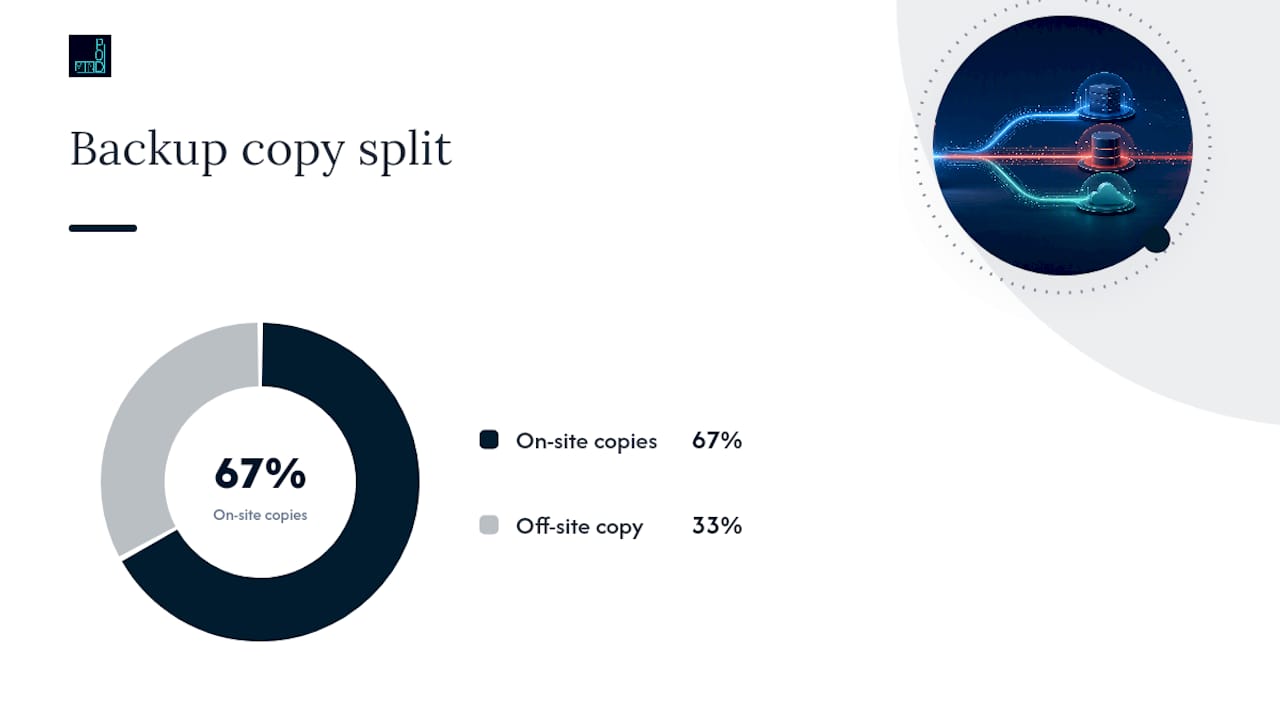
The first "3" means three total copies of your data: your live, production copy plus two backups. That could be a nightly file-level backup and a weekly full image, or a database snapshot paired with a separate archival export. The point is redundancy through repetition, not variety for its own sake. If your production server dies tonight, you want two independent fallback versions waiting, not one.
The "2" refers to two different media types. This is where a lot of SMBs quietly get it wrong. Two folders on the same physical drive are not two media. Two different media might look like:
- An external hard drive or NAS device sitting in your office
- A cloud object storage tier like Amazon S3, Azure Blob Storage, or Backblaze B2
- Tape, still common in regulated industries for its low cost and durability
- A separate physical server or appliance dedicated to backup jobs
Modern guidance often reframes this as "two different devices" rather than strictly two media formats, since a second cloud account and a NAS box already satisfy the spirit of the rule: if one system fails, the other doesn't share its failure mode.
The final "1" is the off-site copy, and it's the one businesses skip most often because it's the least convenient. Off-site means a different physical location or a logically separate environment: a cloud region hundreds of miles from your office, a second cloud provider, or a tape shipped to a vault. Geographic separation protects you from fire, flood, and theft. Logical separation, meaning a different login and a different network path, protects you from an attacker who compromises your main environment and goes hunting for anything connected to it. The origins of the 3-2-1 rule trace back to library and archival science, long before ransomware existed, but the underlying logic about eliminating shared failure points still holds.
How the 3-2-1 Rule Protects Your Business, and Where It Can Fail
Each layer of the 3-2-1 backup rule maps to a specific way businesses actually lose data:
- Hardware failure: a drive, server, or RAID array dies. The second local copy gets you back online fast.
- Human error: someone deletes the wrong folder or overwrites a file. Any of your three copies, if versioned, can recover it.
- Site disaster: fire, flood, theft, or a building-wide outage. Only the off-site copy survives this one.
- Data corruption: a bug or bad update silently damages files over weeks. Retention history across your backups lets you roll back to before the damage started.
Where the classic rule starts to strain is cloud sync. Tools like OneDrive, Dropbox, and Google Drive sync changes in near real time, which means a ransomware encryption event or an accidental mass-delete replicates to the "backup" copy just as fast as it hit the original. Sync is not backup. A true backup needs its own retention policy and its own point-in-time snapshots, a distinction TechTarget's breakdown of the 3-2-1 strategy makes explicit. The same applies to shared admin credentials: if your backup storage uses the same login as your production domain, one phished password gives an attacker the keys to both.
Pro Tip: If your backup platform logs in with the same credentials as your Microsoft 365 or Active Directory admin account, you don't have an off-site copy. You have a bigger attack surface.
CISA's guidance on data backup options is blunt about this gap: attackers increasingly target backup infrastructure directly, because encrypting production data means nothing to a ransom negotiation if the victim can just restore from backup. That's the exact reason the rule has evolved.
Modern Variations: 3-2-1-1, 3-2-1-1-0, and Ransomware Hardening
The extra digits you'll see attached to 3-2-1 aren't marketing fluff. Each one closes a gap ransomware groups actively exploit.
3-2-1-1 adds one immutable or air-gapped copy: a version of your backup that cannot be altered, encrypted, or deleted, even by someone with admin credentials, for a defined retention window. 3-2-1-1-0 adds a "zero errors" requirement, meaning every backup job is verified and the restore tests come back clean. Zero errors isn't a nice-to-have goal; it's the difference between believing you have a backup and knowing you have one.
For SMBs deciding where to put that immutable copy, the tradeoffs break down roughly like this:
- Immutable cloud tier: cheapest to operate, no physical media to manage, but you're trusting one provider's implementation of immutability.
- Physical tape air-gap: genuinely disconnected from any network, which is the strongest ransomware defense available, but it requires someone to physically rotate and store the tapes correctly.
- Second cloud provider: protects against a single vendor outage or account compromise, at the cost of managing two platforms and two bills.
For a smaller team without dedicated backup staff, an immutable cloud tier with a locked retention period, per CISA's ransomware protection guidance, covers most of the risk with the least operational overhead. Reserve the tape air-gap approach for businesses under regulatory pressure or those that have already been targeted once.
Step-by-Step Implementation Checklist for SMBs
Building a working 3-2-1 setup is a sequence, not a shopping list. Skip the sequence and you end up with backups that technically exist but won't save you when it matters.
- Inventory your data and its business impact. List every system: accounting, CRM, email, file shares, line-of-business apps. Rank each by how long you could survive without it.
- Pick your fast local copy. A NAS device, an on-prem backup server, or storage snapshots for anything you'd need restored within hours.
- Pick your off-site copy. Cloud backup to a separate account and region, or a tape rotation to an offsite vault. Use credentials that are not shared with your production admin accounts.
- Set cadence and retention. Match backup frequency to how much data loss you can tolerate, and keep enough history to roll back corruption, not just recover from deletion.
- Turn on encryption, both in transit and at rest, for every copy, local and off-site alike.
- Enable immutability or plan an air-gap for at least one copy, and automate alerts for failed or skipped jobs.
- Write the restore runbook and name a specific person responsible for executing it. A backup plan with no owner is a backup plan that fails silently.
| Step | Owner | Frequency | Success Metric |
|---|---|---|---|
| Data inventory & impact ranking | IT lead / owner | Annually or after major system change | Every critical system assigned an RTO/RPO |
| Local fast-recovery copy | IT staff / MSP | Daily | Restore completes within target RTO |
| Off-site copy | IT staff / MSP | Daily or per RPO | Independent credentials confirmed active |
| Immutable/air-gapped copy | IT lead | Per retention policy | Copy unmodifiable for the defined window |
| Restore verification | IT staff | Monthly (file), quarterly (app) | Zero errors on test restore |
Cloud tiering can meaningfully cut the cost of the off-site leg without sacrificing recovery speed, a tradeoff covered in more depth in Mindpod's Azure cost optimization runbook.
Turning Backups Into Reliable Recovery With RTO and RPO
A backup you can't restore fast enough isn't protection, it's just storage. That's what Recovery Time Objective (RTO) and Recovery Point Objective (RPO) exist to fix. RTO is how long you can afford to be down; RPO is how much data you can afford to lose, measured in time. A business running a 4-hour RTO and 15-minute RPO on its order system needs frequent snapshots and a fast restore path, not a nightly tape backup.
Ready makes the point that a backup strategy alone isn't a disaster recovery plan. RTO and RPO are what convert stored copies into an actual recovery capability.
Verification cadence matters as much as the numbers themselves:
- Monthly: spot-restore individual files to confirm backups are intact
- Quarterly: restore a full application stack and test that it actually functions
- Annually: run a full failover drill, including the people and the runbook, not just the technology
Track restore time and success rate every time you test, and keep those results in a runbook stored somewhere other than the system you're testing. For a deeper walkthrough of setting realistic recovery targets, see RTO vs. RPO: setting recovery targets that actually hold.
When Basic 3-2-1 Isn't Enough Anymore
The most common backup failures aren't technical, they're procedural. Businesses mistake sync for backup, reuse the same admin login across production and backup systems, and go years without ever actually testing a restore.
Watch for these signals that you've outgrown basic 3-2-1:
- Regulatory or client contract requirements demand documented recovery evidence
- Your industry or business has already been a ransomware target, even unsuccessfully
- Your RTO has shrunk to the point where you need hot failover, not cold restore
Pro Tip: Set a recurring calendar reminder to run a restore test. "We'll get to it" is how businesses discover their backups were broken for eight months.
Low-cost fixes close most of this gap: turn on immutable retention on your existing cloud tier, split backup credentials from admin credentials, and commit to a monthly restore verification, ideas covered in Mindpod's disaster recovery testing guide.
Mindpod's Take: Prove Recovery Before You Scale It
Most backup failures aren't caused by missing technology. They're caused by nobody ever testing the restore. An approach starts with a free assessment that maps your actual RTOs and RPOs against what your current backups can deliver, then builds a prioritized plan you own.
The outcome that matters isn't a backup policy document. It's a documented, timed restore, with a named owner responsible for executing it under pressure. Start with one critical system, prove you can recover it inside your target window, and scale the same pattern to the rest of your environment. If you want a structured starting point, Mindpod's services page outlines how the assessment-to-implementation process works.
— jaras
Get Your Backup Strategy Assessed, Not Assumed
Most SMBs think they have a backup strategy until someone actually tries to restore from it. A free technology assessment can map your critical systems against real recovery targets, then provide a prioritized, plain-language plan for closing gaps, whether that means adding an immutable off-site copy, fixing shared credentials, or setting up automated restore testing.

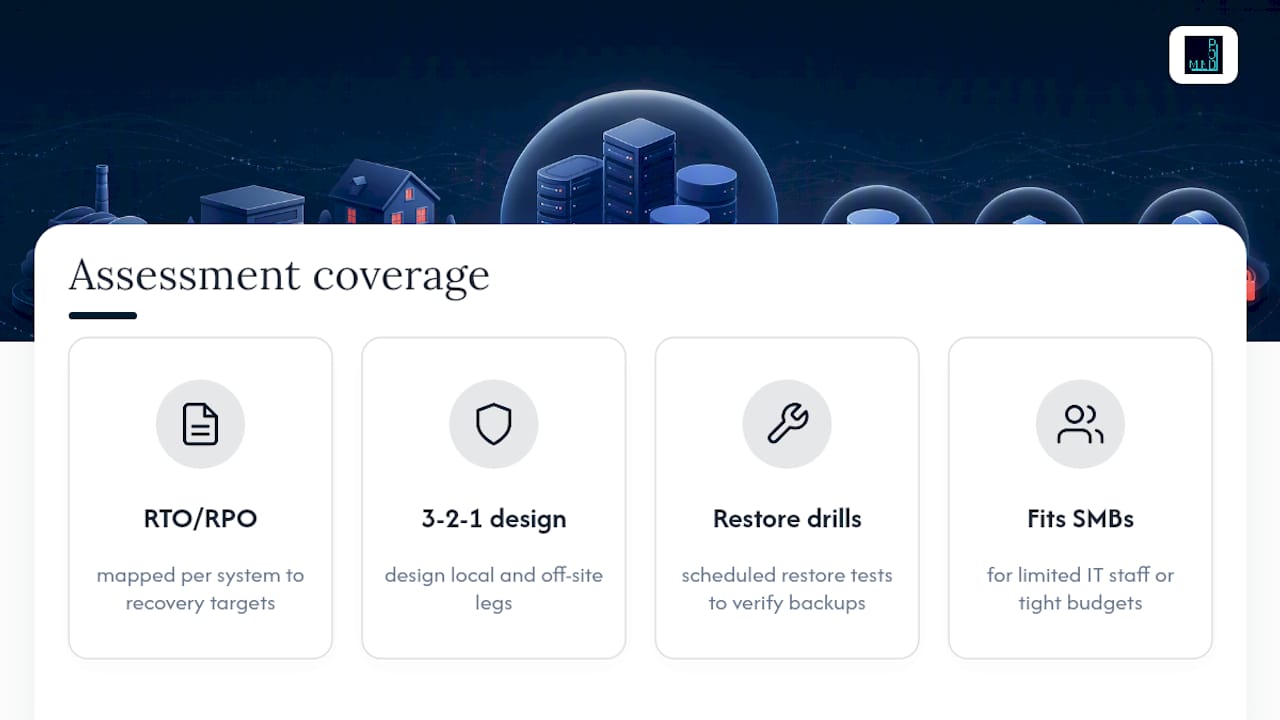
The engagement covers what most SMBs skip on their own: mapping RTO and RPO per system, designing the local and off-site legs of your 3-2-1 architecture, and running scheduled restore drills to verify backups. This fits businesses with limited in-house IT staff or budgets that can't support a full-time backup administrator. If backup and disaster recovery ties into a broader continuity plan, a partner like The Strategy Haus can help align that recovery plan with wider business priorities.
Start with the free assessment on Mindpod Technologies' services page to see exactly where your current backup setup would fail and what it would take to fix it.
Sources
For deeper technical grounding, see CISA's data backup guidance, CISA's SMB backup checklist, Azure's disaster recovery design guidance, and NIST's disaster recovery plan glossary.
- The origins and rationale for the 3-2-1 backup rule
- CISA — Data backup options (guidance)
- TechTarget — 3-2-1 backup strategy explained
- Ready
FAQ
What Is the 3-2-1 Backup Rule?
It requires keeping three copies of your data, on two different types of media, with at least one copy stored off-site, so no single event can destroy every version at once.
Is the 3-2-1 Backup Rule Still Enough Against Ransomware?
Not on its own. CISA recommends adding an immutable or offline copy, often called 3-2-1-1, because ransomware now targets connected backup systems directly.
What's the Difference Between Cloud Sync and Cloud Backup?
Sync tools like OneDrive or Dropbox replicate changes instantly, including ransomware encryption or accidental deletions. A real backup keeps independent, point-in-time snapshots that sync tools don't provide.
How Often Should an SMB Test Its Backups?
Run monthly file-level restore checks, quarterly application-level tests, and at least one annual full failover drill to confirm the entire recovery process, not just the data, actually works.
Can Mindpodtech Help Design a 3-2-1 Backup Strategy?
Yes. Mindpodtech's assessment process maps your systems against RTO and RPO targets and builds a prioritized plan for local, off-site, and immutable backup coverage.