

An IT assessment checklist is a structured review of your hardware, software, network, security controls, and backup systems that produces one thing: a prioritized list of fixes, each with an owner and a deadline. The immediate next step is simple. Run an inventory across eight areas of your environment, then rank the top three risks by how likely they are to hurt you and how expensive they'd be to fix.
TL;DR:
- Conduct a thorough inventory of all hardware, software, network components, and cloud resources, including firmware versions and license usage.
- Focus on security gaps such as MFA coverage, privileged account management, vulnerability scans, and backup restore testing to prevent breaches and operational failures.
- Prioritize findings by severity, impact, and effort required, addressing critical issues first and assigning clear ownership and deadlines for remediation efforts.
- Use iterative assessments every six months to adapt to changing risks and continuously improve security posture and operational efficiency.
- Leverage standardized frameworks like GAO, NIST, and FTC guidance to structure your assessment and ensure compliance.
- ✓Security assessment and hardening
- ✓Backup and disaster recovery
- ✓Cloud architecture and cost optimization
- ✓Fractional technology leadership
Table of Contents
- What Business Goals Should Shape Your IT Assessment Checklist?
- How Do You Inventory Your Current IT Environment?
- What Security Checks Belong in Every IT Assessment?
- How Should Assessment Findings Shape Your Technology Roadmap?
- How Do You Prioritize and Assign IT Remediation?
- What Does a Complete IT Assessment Checklist Cover?
- Why Iterative, Prioritized Assessments Beat One-Time Audits for SMBs
- How Mindpod Can Help You Run This Assessment
- Where to Verify These Standards Yourself
- Sources
- FAQ
What Business Goals Should Shape Your IT Assessment Checklist?
An assessment without a defined purpose turns into a data dump nobody acts on. Before you touch a single server, decide what business outcome you're chasing: fewer outages, a compliance deadline, due diligence for an acquisition, or trimming a bloated cloud bill.
Scope follows goals. Are you reviewing every location or just the headquarters? Cloud workloads, on-premises servers, or both? All 40 employees or just the finance team ahead of an audit? Vague scope produces vague results.
Assign real ownership before you start:
- An executive sponsor who can approve budget for what the assessment finds
- Subject matter experts for network, security, and applications, even if that's one overworked IT generalist
- A review cycle since the GAO's technology assessment guidance recommends iterative cycles that revisit scope as conditions change, not a single massive audit you never repeat
How Do You Inventory Your Current IT Environment?
You cannot secure or fix what you haven't counted. Start with a hard inventory of every server, endpoint, SaaS subscription, and cloud resource, along with evidence you can point to later: asset tags, license keys, admin console exports, and network diagrams.
Work through these checks in order:
- List every physical and virtual server, noting patch status, CPU and memory trends over the past 90 days, and whether backup jobs completed successfully last week.
- Map your network topology, including VLANs, bandwidth utilization at peak hours, firmware versions on routers and switches, and wireless coverage gaps.
- Catalog every endpoint (laptops, desktops, mobile devices) with operating system version and encryption status.
- Pull a full list of SaaS applications from your identity provider or expense reports, then compare it against what IT actually approved. The gap is your shadow IT.
- Reconcile software licenses against actual seat usage. Overpaying for unused licenses is one of the most common findings in this step.
- Document cloud resources by tagging every instance, storage bucket, and database, then flag anything with no owner listed.
Firmware and patch hygiene deserve extra attention here. Recent infrastructure guidance points to unpatched firmware and identity drift as recurring causes of operational incidents, which makes this inventory step more than paperwork.
Pro Tip: Export your identity provider's app catalog before you interview a single employee. Comparing that export against your approved software list almost always surfaces at least a few unauthorized tools that never went through security review.
Shadow IT tends to hide in departments that move fast and ask forgiveness later, marketing and sales especially. A shadow IT discovery process built into your assessment catches this before it becomes a data exposure problem.
What Security Checks Belong in Every IT Assessment?
Security review is where an IT assessment checklist earns its keep, because the gaps here are the ones that cause outages, breaches, and legal exposure. Four areas matter most.
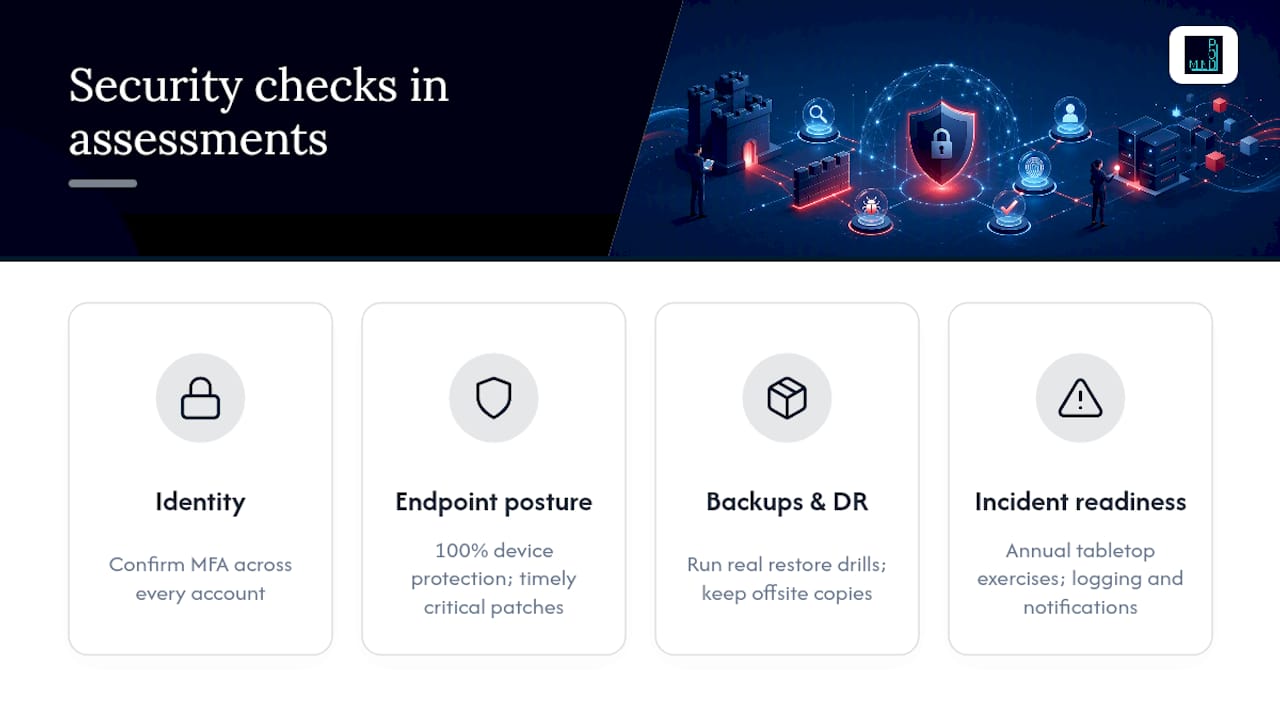
Identity and access control: Confirm MFA coverage across every account, not just email. Inventory privileged accounts (domain admins, cloud root users) and verify each one is still needed. Check Active Directory for stale accounts tied to former employees.
Endpoint and vulnerability posture: Verify endpoint protection covers 100% of devices, not the 85% that happened to check in last scan. Confirm vulnerability scans run on a defined cadence and that critical patches ship within days, not months.
Backups and disaster recovery: Check backup job completion rates, but don't stop there; consider adopting AI tools for small businesses to streamline and enhance your backup and disaster recovery processes. SMBs commonly under-test DR restores, verifying that backups completed while never confirming the data actually restores. Run a real restore drill. Confirm your objectives for recovery time and recovery point match what the business can actually tolerate, and keep an offsite or cloud copy separate from your primary backup target.
Incident readiness: Run a tabletop exercise at least annually, confirm logging covers your critical systems, and know your notification obligations in advance. The FTC's breach-notification guidance lays out what regulated businesses must do when an incident affects protected data, and scrambling to figure that out during an actual breach is the wrong time to learn it.
NIST Handbook 162 maps operational controls like these directly to checklist items, which gives smaller companies a credible standard to point to instead of guessing at what "good enough" security looks like.
How Should Assessment Findings Shape Your Technology Roadmap?
Findings only matter if they change what you build next. Sort every gap into quick wins (fixable in weeks, low cost) versus long-term projects (new architecture, budget cycles, vendor contracts) so leadership sees a realistic path instead of one overwhelming list.
Check these areas specifically:
- Cloud waste: orphaned instances, unused storage, and unattached IPs quietly driving up your bill
- Identity federation: whether cloud accounts tie back to a central identity provider or sprawl across disconnected logins
- Baseline hardening: comparing configurations against a recognized standard like the CIS Benchmarks
- Compliance triggers: HIPAA for healthcare data, PCI DSS for payment processing, applied with the smallest set of controls that actually satisfies the requirement, not a blanket overbuild
Modernization projects (a platform migration, a new ERP) belong on a medium-term timeline. Anything actively exposing you to risk today gets a short-term mitigation promptly, full stop.
How Do You Prioritize and Assign IT Remediation?
A list of 40 problems with no order is worse than useless. It's discouraging. Score each finding on three factors: likelihood it causes a real incident, business impact if it does, and effort to fix it. That produces four natural buckets: fix now, fix soon, fix when budget allows, and accept the risk with sign-off.
- Fix now: high likelihood, high impact, low effort. Missing MFA on an admin account is the classic example.
- Fix soon: high impact but moderate effort, scheduled within a near-term period.
- Planned: lower urgency items folded into the next budget cycle.
- Accepted risk: documented and signed off by an executive, not silently ignored.
Assign an owner (internal staff or an outsourced provider) and a realistic time estimate to every item, not just the urgent ones. Costs vary widely: MFA rollout often runs a few hours of configuration time, a backup overhaul might mean a new tool and a week of setup, and patching backlogs depend entirely on how far behind you've fallen. Review the backlog regularly and track how many items actually closed, not just how many got added.
Pro Tip: If your remediation list has more than ten "fix now" items, your scoring is probably too generous. Force yourself to rank within that tier too, or nothing meaningful gets prioritized.
What Does a Complete IT Assessment Checklist Cover?
A workable framework for SMBs breaks the environment into eight operational areas, each scored and documented separately so nothing important gets buried under a bigger issue.
| Assessment Area | Sample Checks | Evidence to Capture |
|---|---|---|
| Hardware and infrastructure | Server age, capacity trends, firmware versions | Asset list, performance logs |
| Software and licensing | License counts vs. seats used, shadow IT scan | License reports, app catalog export |
| Security and access controls | MFA coverage, privileged account list, endpoint protection rate | Identity provider report, endpoint dashboard |
| Data management and backup | Backup success rate, restore drill result, RTO/RPO fit | Backup logs, restore test record |
| Network and connectivity | Bandwidth at peak, VLAN segmentation, wireless coverage | Network diagram, bandwidth monitor |
| Regulatory compliance | Applicable frameworks (HIPAA, PCI), control gaps | Compliance checklist, audit notes |
| IT policies and documentation | Written policies, last review date, incident response plan | Policy documents, revision history |
| Team and skills | Staffing coverage, training gaps, vendor dependencies | Org chart, skills matrix |
Score each area on a simple scale (1 to 5) and record the evidence, not just the number, so next quarter's review can measure real change. A ready-made checklist template speeds this up considerably rather than building your own from a blank page. Most SMBs get real value running this full cycle twice a year, with a lighter security-only check in between.
Why Iterative, Prioritized Assessments Beat One-Time Audits for SMBs
The conventional wisdom treats an IT assessment as a once-a-year event: hire an auditor, get a thick report, file it away. That approach fails smaller companies because conditions change faster than annual cycles can track, and a 60-page report with no prioritization just sits unread.
Mindpodtech builds its advisory work, including fractional technology leadership, cloud cost optimization, and security hardening, around shorter, repeatable assessment cycles that revisit scope as risks shift. That's the model that actually gets acted on, because it produces three ranked priorities instead of forty undifferentiated findings.
— jaras
How Mindpod Can Help You Run This Assessment
Running an eight-area assessment while also handling day-to-day IT fires is a lot to ask of one person. An established advisory firm can be an alternative to hiring a full-time technology executive before you're ready for one: an assessment that produces a prioritized, plain-language plan you own, whether the firm executes it or your own team does.

Before booking a call, pull together a rough asset list, your last backup report, and a sense of which compliance rules apply to your business. That prep alone often cuts the assessment timeline in half. Mindpod's advisory services cover fractional CTO support, cloud architecture, security hardening, and disaster recovery planning, so the same assessment that surfaces your risks can also point straight to whoever fixes them, in-house or outsourced. Start with the free assessment and get a prioritized plan back before you commit to anything further.
Where to Verify These Standards Yourself
The GAO's Technology Assessment Design Handbook and its companion Technology Readiness Assessment Guide lay out how to structure a credible, repeatable assessment. NIST Handbook 162 maps operational security controls to checklist items, and the FTC's breach-notification guidance covers your obligations when an incident hits.
Sources
- GAO-20-246G, Technology Assessment Design Handbook
- NIST Handbook 162
- FTC breach-notification guidance
- Process Street IT assessment checklist template
FAQ
What Should an IT Risk Assessment Include?
A complete IT risk assessment covers asset inventory, access controls, patching and vulnerability status, backup and disaster recovery testing, network health, compliance obligations, and a prioritized remediation list with owners and deadlines.
What Is a Checklist Tool for Assessment?
A checklist tool is a structured template, often a spreadsheet or dedicated app, that walks you through fixed categories like hardware, security, and backups so nothing gets skipped. Process Street's IT assessment template is one widely used starting point you can adapt.
What Is the Format of an IT Risk Assessment?
Most IT risk assessments follow a scored format: list each asset or control area, rate likelihood and impact of failure, then rank findings into fix now, fix soon, and accepted risk categories with assigned owners.
What Are the Five Things a Risk Assessment Should Include?
Definitions of the "five things" vary by source, but a solid assessment consistently covers asset inventory, threat and vulnerability identification, impact and likelihood scoring, prioritized remediation, and a documented review cycle to repeat the cycle.