

This checklist gives you two things: a one-page version you can run today and a detailed, domain-by-domain version that produces a prioritized remediation list. It's built for SMB owners and IT leaders, not security consultants. Start with the at-a-glance checklist below, then move into the detailed checklist to document evidence and rank fixes.
TL;DR:
- Enforcing MFA on all admin and email accounts is critical, but rolling out least-privilege access can take several months depending on organization complexity.
- Testing, documenting, and restoring backups regularly are essential, as untested backups are a high-risk gap even if backups technically run.
- Asset inventory and network segmentation should be verified through discovery scans and firewall rule exports to identify shadow IT and ensure proper segmentation.
- Prioritized remediation should focus on quick wins like MFA enablement, patching, and tested backups before investing in advanced detection or zero-trust segmentation projects.
- Conducting an internal or third-party assessment requires detailed evidence collection and should be repeated annually or after major changes to maintain effective cybersecurity posture.
Table of Contents
- What Belongs in a Cybersecurity Assessment Checklist?
- How Do You Run a Detailed Cybersecurity Risk Assessment?
- How Do You Map Checklist Findings to NIST CSF?
- Should You Run This Yourself or Bring in an Assessor?
- Where SMB Assessments Usually Go Wrong
- Get a Free Technology Assessment From Mindpodtech
- Templates and Frameworks Worth Bookmarking
- Sources
- FAQ
What Belongs in a Cybersecurity Assessment Checklist?
A working cybersecurity assessment checklist has to answer one question for every line item: can you prove it, not just claim it. That distinction separates a checklist that protects your business from one that just makes you feel better on paper.
Run through this before you touch the detailed version further down. For each item, mark Yes or No and note what evidence backs it up.
- Scope defined: written statement of which systems, locations, and data are in scope. Evidence: a one-page scope memo.
- Asset inventory current: every server, laptop, cloud account, and SaaS app logged with an owner. Evidence: an up-to-date inventory spreadsheet.
- MFA enforced on admin and email accounts: not optional, not "in progress." Evidence: screenshot of your identity provider's MFA policy.
- Patching cadence documented: critical patches applied within a set window. Evidence: patch management report or ticket log.
- Backups tested with a real restore: not just "backups run." Evidence: restore test log with date and outcome.
- Endpoint detection deployed on servers and laptops, not just legacy antivirus. Evidence: EDR console coverage report.
- Logs centralized and retained for at least 90 days. Evidence: log source list and retention setting.
- Incident response plan exists and names an owner. Evidence: the document itself, dated and assigned.
- Vendor list with access levels documented. Evidence: vendor access spreadsheet.
- Findings prioritized into a simple High/Medium/Low list. Evidence: a risk register, even a basic one.
Run this monthly for the fast items (patching, MFA drift, backup logs) and annually for the full pass, per the recurring review structure CISA's SAFECom guide recommends.
How Do You Run a Detailed Cybersecurity Risk Assessment?
Before you run any of this, gather your network diagrams, current asset inventory, data flow maps, prior incident reports, and vendor access lists. Assessors who skip this step waste hours chasing information mid audit instead of testing controls, a preparation gap Atlant Security's IT security audit checklist flags as one of the most common reasons assessments run long and still miss things.
The core sequence below follows the standard structure: scope, identify, analyze, treat, monitor, a pattern SANS's cybersecurity risk assessment glossary lays out as the foundation of any structured risk process. For each domain, score findings High, Medium, or Low based on impact times likelihood, then assign a rough time to fix: days for quick configuration changes, weeks for projects needing a purchase or vendor coordination, months for anything touching architecture.
-
Scope and asset inventory. Test: does your inventory list match what's actually running on the network? Evidence: a discovery scan compared against your spreadsheet. Remediation: low effort fixes mean updating stale records; high effort means deploying an automated discovery tool. Unmanaged devices and forgotten cloud accounts, sometimes called shadow IT, show up here more often than owners expect.
-
Identity and access management. Test: pull a list of admin accounts and confirm every one has MFA and a business justification. Evidence: identity provider export. Remediation: enforcing MFA on a handful of accounts is a days-long fix; rolling out least-privilege access across every department is a months-long project.
-
Patch and vulnerability management. Test: run a vulnerability scan and compare results against your patch log. Evidence: scan report with dates. Remediation: patching a single exposed server is quick; building an automated patch pipeline across a mixed fleet takes weeks.
-
Network and segmentation. Test: confirm guest Wi-Fi, production servers, and point-of-sale systems sit on separate network segments. Evidence: network diagram plus firewall rule export. Remediation: basic VLAN separation can happen in a week; a full zero-trust segmentation project is a months-long, budget-line item.
-
Endpoint and server hardening. Test: check that EDR or managed antivirus covers 100% of active endpoints, not just the ones IT remembers. Evidence: EDR console dashboard. Remediation: deploying an agent to missed machines is fast; replacing legacy antivirus fleet-wide is a medium-effort project measured in weeks.
-
Data encryption and backups. Test: confirm backups are encrypted, stored off-site or in a separate cloud region, and actually restorable. Evidence: a documented restore test, not a green checkmark on a dashboard. An "implemented but not monitored" backup job should score as only partially mitigated until you have proof it restores clean. This is where disaster recovery testing and realistic RTO and RPO targets matter more than the backup software you bought. CISA's control guidance treats untested recovery as a high-risk gap even when backups technically run, and recommends at least one tabletop exercise a year to validate the plan against CISA's Cybersecurity Program Checklist.
-
Logging, monitoring, and detection. Test: confirm logs from firewalls, servers, and identity systems flow into a central location with alerting on anomalies. Evidence: log source inventory and a sample alert. Remediation: turning on native logging is a days-long fix; standing up a SIEM or contracting managed detection is a monthly cost decision.
-
Incident response and recovery. Test: does the IR plan name specific people, not just roles, and has anyone run a tabletop exercise in the last twelve months? Evidence: the plan itself plus exercise notes. Review a probabilistic-failure incident response framework if your environment includes AI-driven tools, since traditional playbooks often miss those failure modes.
-
Third-party and supply chain risk. Test: for every vendor with system access, confirm you have a signed data processing agreement and know what happens if they're breached. Evidence: vendor questionnaire responses. A structured SaaS due diligence checklist is worth adapting for this step, especially for vendors handling customer data.
-
Governance and training. Test: pull phishing simulation results from the last quarter and compare against policy sign-off records. Evidence: training completion report. A signed acceptable-use policy nobody follows is worth less than one phishing test showing real click rates. Score training gaps as Medium risk unless your business handles regulated data, where they jump to High.
Once every domain has a score, sort the full list by risk level, then by time to fix. High risk items with a days-long fix go on this week's ticket. High risk items needing months of budget go to leadership now, not after the next audit cycle.
How Do You Map Checklist Findings to NIST CSF?
Mapping your findings to the NIST Cybersecurity Framework turns a spreadsheet of technical gaps into language your board, your insurer, or your biggest customer's security questionnaire will actually accept. NIST CSF organizes everything into five functions: Identify, Protect, Detect, Respond, Recover.
A few direct mappings:
- MFA on admin accounts → Protect (PR.AA)
- Asset inventory current → Identify (ID.AM)
- Centralized logging and alerting → Detect (DE.CM)
- Documented incident response plan → Respond (RS.MA)
- Tested backup restores → Recover (RC.RP)
- Vendor risk questionnaires → Identify (ID.SC)
Build a Current Profile from your assessment results, then a Target Profile showing where you want to be in twelve months. The gap between the two, weighted by CSF's Tier model, becomes your prioritized roadmap. Store evidence, screenshots, scan reports, sign-off documents, in a dedicated folder structure mirroring these five functions. Download a spreadsheet template from CISA's SAFECom guide and adapt it rather than building your own from scratch.
Should You Run This Yourself or Bring in an Assessor?
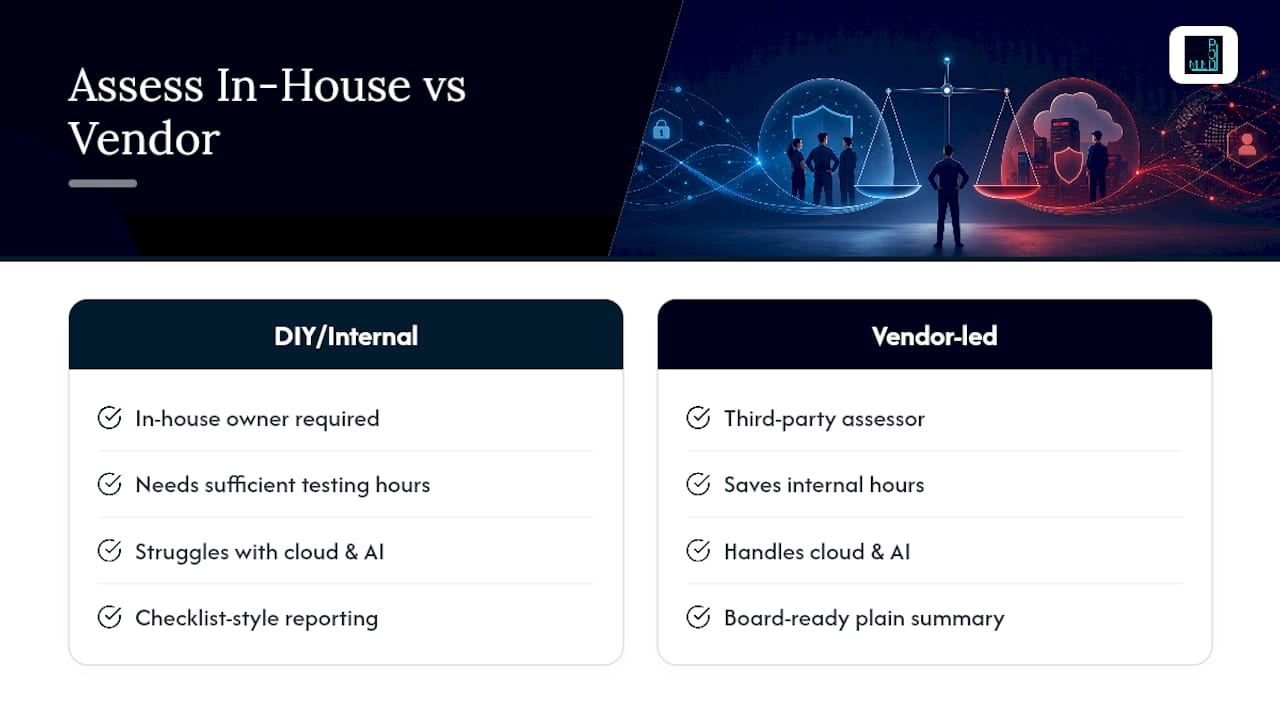
Running this checklist internally works if you have someone who owns it and enough hours to test evidence, not just check boxes. It breaks down fast when internal capacity is thin, when a customer or insurer demands board-ready reporting, or when your environment includes cloud and AI integrations that a generalist IT admin hasn't assessed before.
A pragmatic vendor-led assessment should hand you a prioritized plan in plain language, not a 40-page report full of severity scores nobody on your team can act on. It should assign owners to each fix, set realistic timelines based on effort, and leave you with something a non-technical owner can approve at a glance. Mindpodtech's security assessment and hardening work, alongside its fractional CTO and IT advisory services, is built around that handoff: assess, prioritize, assign, and follow up until items close.
Where SMB Assessments Usually Go Wrong
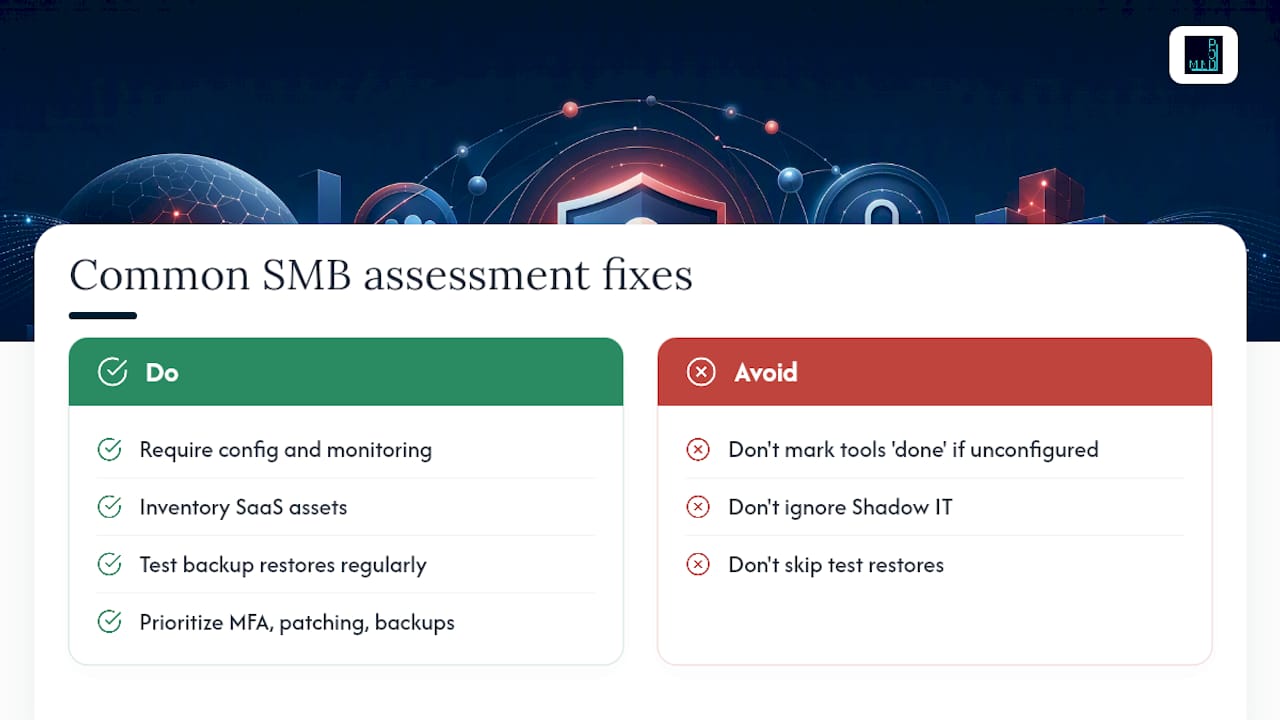
The most common mistake isn't a missing control. It's marking an aspirational item "done" because someone bought the tool, even though nobody configured or monitors it. Shadow IT is the second: assets nobody inventoried because a department signed up for a SaaS tool without telling IT. Third is skipping test restores entirely, treating "backups run nightly" as proof of recovery when it proves nothing of the sort.
Prioritize quick wins first: MFA, patching, tested backups. Save MDR and SOC investment for after those basics hold. A simple heuristic works well: high-criticality asset plus an exploitable vulnerability equals your first ticket, every time.
— jaras
Get a Free Technology Assessment From Mindpodtech
Mindpodtech is the alternative to hiring a full-time security hire before you're ready for one: you get a free technology assessment first, then a prioritized, plain-language plan you own regardless of what you decide to do next.

That assessment typically identifies your highest-risk gaps, assigns rough timelines and effort levels, and hands you a document you can act on immediately or bring to a board meeting without translation. If you'd rather have someone else run the checklist above, test the evidence, and build the remediation roadmap, start with Mindpodtech's IT and security services page and request the free assessment.
Templates and Frameworks Worth Bookmarking
- NIST Cybersecurity Framework 2.0: the full five-function model for mapping findings.
- CISA SAFECom risk assessment guide: stepwise tasks with customizable evidence tables.
- CISA Cybersecurity Program Checklist: control-by-control recommendations with impact notes.
- SANS cybersecurity risk assessment glossary: the standard definition and process steps.
- FINRA small-firm cybersecurity checklist: a downloadable spreadsheet to adapt for evidence tracking.
Sources
- SANS — Cybersecurity risk assessment (glossary)
- CISA SAFECom — Guide to getting started with a cybersecurity risk assessment (2022)
- NIST — The Cybersecurity Framework (CSF) 2.0
- CISA — Cybersecurity Program Checklist (CPG)
FAQ
What Is a Cybersecurity Assessment Checklist?
It's a structured list of controls, from asset inventory to incident response, that you test against real evidence rather than policy statements, following the scoping and analysis steps SANS outlines as standard practice.
How Often Should We Run a Cybersecurity Risk Assessment?
Run fast items like patching and MFA checks monthly, and the full domain-by-domain assessment at least annually or after any major system change, since CISA and SAFECom guidance treats risk assessment as ongoing rather than a one-time event.
What's the Difference Between a Security Assessment and an Audit?
An assessment identifies and prioritizes risk for internal action; an audit typically verifies compliance against a specific standard for an external party like a regulator or insurer.
Do We Need a Third-Party Assessor or Can We Self-Assess?
Self-assessment works with dedicated internal capacity and time to verify evidence properly; bring in an outside assessor like Mindpodtech when you lack that capacity or need board-ready, prioritized reporting.
What Should We Do First After Completing the Checklist?
Sort findings by risk score and time to fix, then start with high-risk items that have a fast remediation path, like enabling MFA or fixing an unpatched exposed server, before tackling longer strategic projects.