

Cloud cost optimization is the practice of matching cloud spending to actual business value, cutting waste without cutting the performance your customers rely on. It's not the same as slashing budgets across the board. Get visibility and tagging in place first, then rightsize and enable autoscaling, shut down idle resources, layer in commitments and savings plans, use spot instances for fault-tolerant workloads, and tier storage while trimming data egress.
Industry estimates commonly put wasted cloud spend around 30% of total budgets, which is why visibility has to come before any cutting starts. If you skip straight to shutting things down, you'll break something you needed.
Pro Tip: Start by exporting your last 90 days of billing data before you touch a single instance. You can't optimize what you can't see, and most teams are flying blind on at least a third of their bill.
The six moves worth doing this quarter, in order:
- Establish cost visibility and enforce tagging across every account and resource group
- Rightsize compute based on real utilization, then let autoscaling handle demand swings
- Shut down idle and forgotten non-production resources
- Layer in reserved instances or savings plans for stable, predictable workloads
- Move fault-tolerant, interruptible jobs onto spot or preemptible instances
- Tier storage by access frequency and reduce unnecessary data egress
Key Takeaways
Cloud cost optimization succeeds when visibility and tagging come first, tactical fixes follow a proven sequence, and a weekly governance loop keeps the savings from eroding back to baseline.
| Point | Details |
|---|---|
| Visibility before cuts | Export billing data and audit tagging compliance before rightsizing or shutting anything down. |
| Sequence matters | Rightsize and remove waste first, then buy reservations, since committing early locks in oversized spend. |
| Governance sustains savings | A weekly loop of alert, triage, action, and verify keeps anomalies from compounding into quarterly surprises. |
| Measure unit costs | Track cost per customer or feature, not just total spend, to know if optimization is actually working. |
| Mindpodtech's approach | Runs a free assessment first, then delivers a prioritized 90 day plan covering rightsizing, storage tiering, and FinOps cadence setup. |
Table of Contents
- What Cloud Cost Optimization Actually Means
- The Priority Checklist: What to Fix First and What It Saves
- How to Build a Cloud Cost Optimization Program That Sticks
- What to Measure So You Know It's Working
- How Mindpodtech Runs a Cloud Cost Assessment
- Cloud Vendor Pricing Models and What They Cost You
- Governing Cost Optimization Across Teams, Not Just Tools
- Comparing Cloud Cost Optimization Tools and Platforms
- Why Architecture Decisions Drive Your Cloud Bill
- Managing Costs Across Multi-Cloud and Hybrid Environments
- Cutting Costs in Serverless and Containerized Workloads
- Where Cost Optimization Programs Go Wrong
- Getting Cloud Costs Under Control Without Adding Headcount
- Sources
- FAQ
What Cloud Cost Optimization Actually Means
Cost optimization and cost cutting are not the same discipline, and confusing them is how teams end up regretting their own budget wins. Cutting costs means spending less, full stop, even if that means slower response times or a fragile architecture. Optimization means spending the right amount for the outcome you need, and removing everything that isn't earning its keep.
This is where FinOps comes in. FinOps is the operating model that treats cloud spend as a shared responsibility between engineering, finance, and product, rather than a line item finance discovers after the invoice lands. CloudZero's framework for this maps raw billing data to business dimensions, cost per customer, cost per feature, cost per environment, so a $40,000 increase in your AWS bill means something specific instead of just looking alarming on a dashboard.
Unit economics is the practical output of that mapping. If your cost per customer is climbing while your customer count grows, that's a signal worth investigating, not just a number to shrug at.
The urgency here is real. IBM's research on cloud spending puts common waste levels around 30% of total cloud budgets, driven mostly by:
- Orphaned resources nobody remembered to decommission
- Over-provisioned instances sized for peak load that rarely happens
- Storage sitting in expensive tiers long after anyone accesses it
- Reserved capacity purchased and then never fully utilized
Fix the visibility problem first. Everything else on this list depends on it.
The Priority Checklist: What to Fix First and What It Saves
Not every tactic deserves equal attention in month one. Some deliver savings in a week; others need six months of usage data before they're safe to act on. Here's the order that actually works, with the trade-offs nobody puts in the sales deck.
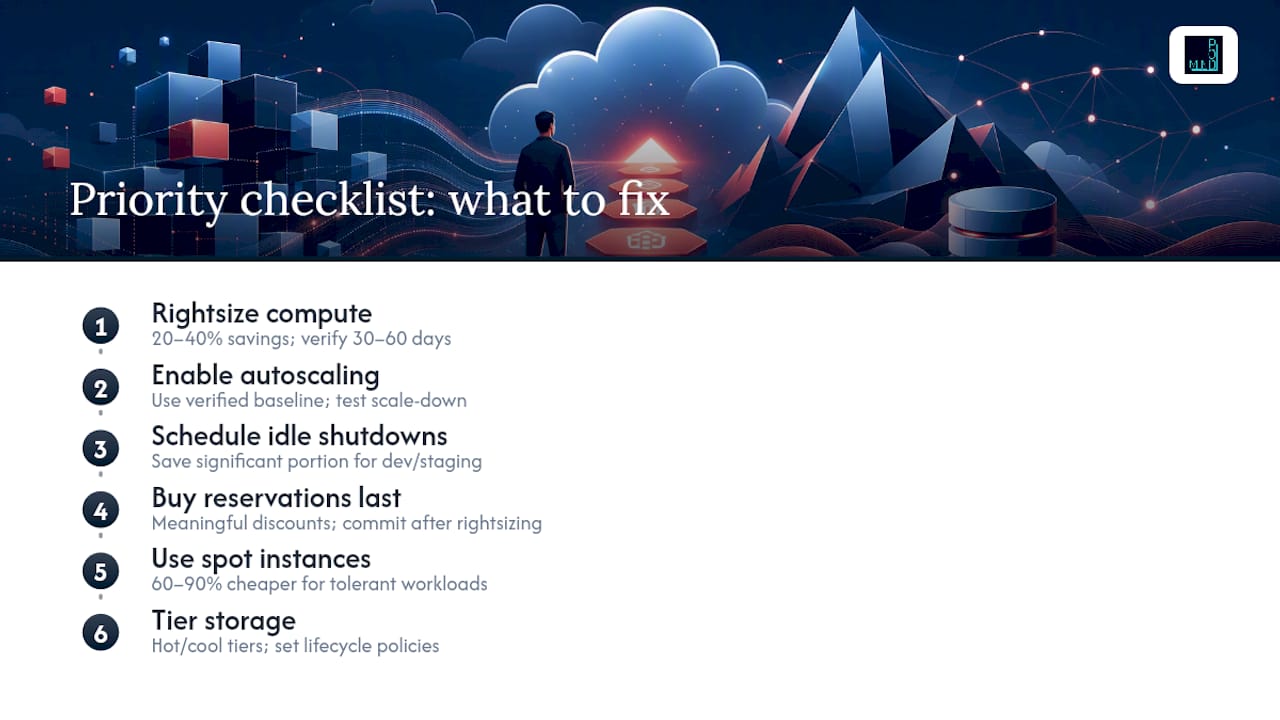
1. Rightsize compute based on real utilization, not guesswork. Pull 30 days of rolling CPU and memory utilization per instance. Spot by Rackspace's guidance puts typical savings from rightsizing at 20 to 40% on the affected resources. Verify the new size holds for another 30 to 60 days before you consider the change permanent. The trade-off: cut too aggressively and you introduce latency spikes during traffic bursts, which is why staged changes with rollback windows matter more than speed here.
2. Turn on autoscaling for anything with variable demand. Autoscaling only works well when your rightsizing baseline is accurate. Set scaling triggers around your verified utilization targets, not arbitrary round numbers, and test scale-down behavior in a low-traffic window before trusting it in production.
3. Shut down idle and non-production environments on a schedule. Dev and staging environments that run 24/7 but only get used during business hours are one of the easiest wins available. Scheduling automatic shutdowns outside working hours on ephemeral dev and staging environments typically saves a significant portion of the compute cost for those environments, since they were never designed to run around the clock in the first place.
4. Buy reserved capacity or savings plans, but only after step 1. This is the sequencing mistake that costs companies the most money: buying commitments before rightsizing locks you into paying for capacity you've already proven you don't need. Once your baseline is stable, Azure savings plans for compute and reserved instances offer meaningful discounts against on-demand pricing in exchange for a one or three-year commitment. Sequence it: rightsize first, then commit. Industry guidance is consistent on this order for a reason, reversing it is the single most common way teams get stuck overpaying for reservations they can't use.
5. Move fault-tolerant workloads to spot or preemptible instances. Batch processing, CI/CD pipelines, and stateless rendering jobs are strong candidates. Spot instances can run 60 to 90% cheaper than on-demand pricing for workloads that tolerate interruption, according to the same Spot by Rackspace analysis. The architecture requirement is non-negotiable: your application needs checkpointing or graceful interruption handling, or you'll trade cost savings for reliability incidents.
6. Tier storage by access pattern and set lifecycle policies. Data accessed daily belongs in hot storage. Data accessed monthly belongs in cool tiers. Data nobody has touched in a year belongs in archive tiers, priced accordingly. Set automated lifecycle policies that move objects down the tier ladder based on last-access date, rather than relying on someone remembering to do it manually.
7. Reduce egress costs through placement and CDN strategy. Cross-region data transfer and internet egress are two of the most commonly underestimated line items on a cloud bill. Placing compute and storage in the same region, routing static content through a CDN, and using direct interconnects for high-volume transfers between cloud and on-premises systems all reduce this cost category meaningfully.
8. Enforce tagging and cost allocation before automating anything. None of the automation in the next section works without clean tags. If resources aren't tagged by owner, environment, and cost center, your anomaly detection alerts will fire without telling anyone who's responsible for the fix.
How to Build a Cloud Cost Optimization Program That Sticks
Tactics without a cadence just create a one-time savings spike that erodes back to baseline within two quarters. The programs that hold their gains follow a four-phase pattern that Spot by Rackspace and other leading FinOps guides converge on independently: assess, quick wins, automate, govern.
Phase 1: Assess (weeks 1 to 2). Export your billing data across every cloud account, Microsoft's cost management documentation covers the API-based export process for Azure environments in detail. Check tagging compliance as a percentage of total resources; anything under 80% coverage means your future reporting will have blind spots. Baseline your current KPIs: cost per product line, cost per environment, and total spend by team.
Phase 2: Quick wins (30 to 60 days). This is where you execute the checklist from the previous section, starting with rightsizing, idle shutdowns, and storage lifecycle policies. These moves don't require architectural changes and typically show results within a single billing cycle. Once your rightsized baseline holds for 30 to 60 days, layer in small reservations on the workloads that have proven stable, not the ones you assume are stable.
Phase 3: Automate. Manual reviews don't scale past a handful of accounts. Three things belong in this phase:
- Policy-as-code that enforces tagging at deploy time, rejecting any resource pushed without required labels
- Budget-based automation that triggers alerts, and in some cases automated shutdowns, when spend crosses a defined threshold
- Automated reservation recommendation pipelines pulling from tools like Azure Advisor, which surfaces rightsizing and reservation suggestions based on actual usage patterns rather than manual analysis
Phase 4: Govern. This is the phase most programs skip, and it's the one that determines whether savings last. Field-tested FinOps practices recommend a weekly loop with four steps: alerts fire on anomalies, a designated owner triages within 24 hours, action gets taken (rightsizing, shutdown, or a documented exception), and someone verifies the fix actually reduced spend the following week.
Governance maturity also means evolving how costs get reported. Most organizations start with showback, simply showing each team what they're spending, before moving to chargeback, where teams' budgets are directly debited for their cloud consumption. That progression usually takes two to three quarters and shouldn't be rushed; chargeback without trustworthy tagging data just creates disputes.
Pro Tip: Assign a named owner to the weekly anomaly review before you turn on automated alerts. An alert nobody's responsible for triaging is worse than no alert at all, it just adds noise your team learns to ignore.
What to Measure So You Know It's Working
You can't manage what you don't measure, and cloud cost optimization has a specific set of KPIs that matter more than raw spend totals. Total spend can go up while your program is succeeding, if revenue or usage is growing faster.
The core metrics worth tracking monthly:
- Cost per customer or cost per feature: total relevant spend divided by active customers or by feature usage volume; this is the unit economics number CloudZero's methodology treats as foundational, since it turns an abstract bill into a number engineering and finance both understand
- Percentage of spend allocated: the share of total cloud spend that maps cleanly to a tagged owner, team, or product; target 90% or higher before you trust any downstream reporting
- Commitment coverage and utilization: coverage measures what percentage of your usage is backed by a reservation or savings plan; utilization measures what percentage of the reservation you're actually consuming. Both matter. High coverage with low utilization means you overbought.
- Percentage of idle resources: compute or storage running below a defined utilization threshold for more than 14 consecutive days
- Anomaly mean time to resolution (MTTR): the time from an unusual spend spike triggering an alert to a verified fix being deployed
Computing unit costs requires mapping raw billing line items to business dimensions, either through consistent tagging or through account-level separation by product line. Tagging is more flexible but depends on discipline at deploy time; account mapping is more rigid but harder to game.
Anomaly MTTR trending upward over consecutive months, rather than down, usually means your triage ownership has gotten fuzzy, not that anomalies have gotten harder to spot.
How Mindpodtech Runs a Cloud Cost Assessment
We start every cloud cost engagement the same way we'd want a vendor to start with us: with a free technology assessment before anyone talks about a contract. That assessment pulls your actual billing exports, checks tagging coverage, and benchmarks your current spend against the utilization patterns we'd expect for workloads your size. The output is a prioritized, plain-language plan you own, not a slide deck we take with us.
A first 90 days under that plan typically looks like this:
- Weeks 1 to 2: billing export, tagging audit, and baseline KPI capture
- Weeks 3 to 6: rightsizing execution and idle resource shutdown, verified against a 30-day utilization window
- Weeks 7 to 10: storage lifecycle policies and initial reservation purchases on workloads that held steady through the rightsizing phase
- Weeks 11 to 13: weekly FinOps loop stood up, with a named owner for anomaly triage
Pro Tip: If your team has fewer than three engineers who understand your cloud billing structure well enough to explain a spend spike in under an hour, that's the signal to bring in outside help rather than assign it as a side project.
Whether to hire an advisor or build this in-house comes down to bandwidth and pattern recognition. A team that's optimized dozens of environments spots the rightsizing candidates and reservation traps faster than a team doing it for the first time, and that speed difference is usually worth more than what it costs to bring in help for the initial assessment phase.
Cloud Vendor Pricing Models and What They Cost You
Every major provider prices compute on the same three axes: on-demand, committed-use, and spot or preemptible capacity, but the discount structures and commitment terms differ enough to change your sequencing decisions. On-demand pricing is the most flexible and the most expensive per hour, appropriate for unpredictable or short-lived workloads where a commitment would be wasted.
Committed-use pricing, sold as reserved instances or savings plans for compute, trades flexibility for a lower rate in exchange for a one or three-year term. The catch that trips up a lot of finance teams: these commitments are typically billed whether you use the capacity or not, so an inaccurate baseline turns a savings mechanism into a sunk cost.
Spot or preemptible pricing sits at the other extreme: the deepest discounts, paired with the risk of the provider reclaiming that capacity with little notice. This only makes financial sense for workloads architected to tolerate interruption.
Storage pricing follows a similar tiered logic, cheaper for infrequently accessed data, more expensive for low-latency retrieval, with separate charges for data egress that many teams underestimate until the bill arrives. Licensing-included pricing for databases and specialized software adds another layer, since the per-hour rate often bundles a software license you're paying for whether you use it fully or not.
Understanding which model applies to which workload before you provision anything prevents the most common cost mistake: defaulting everything to on-demand because it's the simplest checkbox, then discovering six months later that half your infrastructure could have been running at a fraction of the cost.
Governing Cost Optimization Across Teams, Not Just Tools
FinOps only works as an ongoing discipline when it has organizational teeth, not just dashboards. The FinOps Foundation frames this as a cross-functional practice where engineering, finance, and product share accountability for cloud spend rather than finance discovering it after the fact through an invoice.
Cadence matters more than most teams expect going in. A weekly operational loop, alerts fire, someone triages, action gets taken, someone verifies the fix, keeps small anomalies from compounding into a quarter-end surprise. Monthly reviews are where unit economics and commitment utilization get examined at the leadership level, since those trends take longer than a week to show meaningful movement. Quarterly reviews are where the showback-to-chargeback conversation happens, along with decisions about which reservations to renew and which to let lapse.
Ownership has to be explicit at every layer. Someone owns tagging compliance. Someone owns the anomaly triage queue. Someone owns the reservation renewal calendar so commitments don't auto-renew into capacity you no longer need. Without named owners, governance becomes a shared responsibility that nobody actually holds, and that's exactly when idle resources and expired commitments start piling back up.
The organizations that sustain their savings past the first year are the ones that built this cadence into existing meetings rather than creating a new standalone ritual nobody attends consistently.
Comparing Cloud Cost Optimization Tools and Platforms
Tools in this space fall into three broad categories, and picking the wrong one for your maturity level wastes both budget and engineering time. Native cloud-provider tools, like Azure Advisor and its Benefit Recommendations API, come bundled with your existing cloud account and surface rightsizing and reservation suggestions based on actual recent usage. They're free, well-integrated, but limited to a single cloud provider's view of the world.
Third-party FinOps platforms sit a level above that, aggregating spend and recommendations across multiple cloud providers into a single unit-economics view, mapping cost to customer or feature rather than just to an account. These platforms cost more but solve the multi-cloud visibility gap that native tools can't close on their own.
Enterprise-grade platforms add deeper automation: policy-as-code enforcement, automated anomaly detection with configurable thresholds, and integration into CI/CD pipelines so cost checks happen before deployment rather than after the bill arrives. These fit larger, more complex environments where manual review has already broken down under scale.
The right starting point depends on where you are, not on which tool has the longest feature list. A team with a single cloud provider and under 80% tagging compliance gets more value from fixing tagging and using the native provider's recommendation engine than from buying a third-party platform it isn't ready to feed clean data into. Multi-cloud teams with mature tagging discipline are the ones who see the clearest return from a dedicated FinOps platform layer.
Why Architecture Decisions Drive Your Cloud Bill
The single biggest lever on your cloud costs usually isn't a purchasing decision. It's how the system was designed. A monolithic application forced to scale as one unit wastes money running oversized infrastructure to serve its busiest component, even when the rest of the system is barely used.

Microservice architectures let you scale each component independently, which means you pay for exactly the capacity each piece needs rather than over-provisioning the whole system to cover the busiest part. That flexibility comes with its own cost trade-off, though: more services usually means more inter-service network traffic, and cross-region communication between those services can quietly rack up data transfer charges that a monolith never would have generated.
Database choice matters just as much. A relational database sized for peak transaction volume that only occurs during month-end processing runs at that size year-round unless someone actively scales it down. Serverless database options, or read replicas that scale independently from write capacity, avoid that waste for workloads with predictable spikes.
Caching layers reduce both compute and data transfer costs simultaneously, cutting the number of times an expensive database query or an external API call needs to run at all. Getting this right at design time is far cheaper than retrofitting it after the architecture is in production, since caching often requires rethinking how data flows through the system rather than bolting on a new component.
Design reviews that include a cost estimate alongside the performance estimate catch these decisions before they're baked into production. Waiting until the first invoice arrives to ask "why is this so expensive" almost always means an architectural fix, not a quick configuration change.
Managing Costs Across Multi-Cloud and Hybrid Environments
Running workloads across multiple cloud providers, or splitting between cloud and on-premises infrastructure, multiplies both your optimization opportunities and your blind spots. Each provider has its own pricing structure, its own discount mechanisms, and its own billing export format, which means a unified view requires deliberate work rather than happening automatically.
Data egress is the cost that catches multi-cloud teams off guard most often. Moving data between providers, or between cloud and on-premises systems, typically incurs transfer charges on top of whatever compute or storage costs you were already tracking. A workload architecture that constantly shuttles data between AWS and Azure for processing steps can rack up egress charges that dwarf the compute cost of the processing itself.
The fix starts with data locality: keep processing as close as possible to where the data already lives, rather than moving large datasets to wherever compute happens to be cheapest that week. Where cross-provider or cross-environment transfer is unavoidable, dedicated interconnects generally cost less per gigabyte than routing over the public internet, and they come with more predictable latency.
Tagging discipline becomes harder in a multi-cloud environment because tag schemas don't always translate cleanly between providers. A consistent internal tagging taxonomy, mapped separately to each provider's native tag format, prevents the reporting gaps that make unit-economics tracking unreliable across a hybrid estate.
Reservation strategy also has to be evaluated per provider rather than assumed to be interchangeable. A workload that's genuinely portable between providers shouldn't get locked into a long-term reserved instance on one provider if a competitive migration might make sense within the commitment term.
Cutting Costs in Serverless and Containerized Workloads
Serverless and container-based workloads shift the cost conversation from "how big is the instance" to "how efficient is the code," and that shift trips up teams still thinking in traditional infrastructure terms.
For serverless functions, cost scales directly with execution time and memory allocation per invocation. A function allocated more memory than it needs pays a penalty on every single call, multiplied across potentially millions of invocations a month. The fix is profiling actual memory usage under realistic load and right sizing the allocation down to match it, the serverless equivalent of the rightsizing exercise covered earlier in this article. Cold start behavior matters too: functions that stay idle and then spin up under load can carry latency and cost penalties that provisioned concurrency settings are designed to smooth out, at a cost trade-off worth evaluating case by case.
For containerized workloads running on Kubernetes, the critical discipline is setting accurate resource requests and limits at the pod level. Requests set too high reserve capacity the pod never uses, inflating your node count and your bill. Requests set too low risk pods getting evicted under resource pressure. CloudZero's guidance on this treats Kubernetes workloads as first-class cost citizens that need the same explicit attribution as any other line item, tracking cost per namespace or per team rather than lumping the entire cluster into one undifferentiated bill.
AI and machine learning workloads deserve the same treatment, with GPU utilization and inference cost per call tracked explicitly rather than absorbed into general compute spend. A GPU sitting idle between batch jobs is one of the most expensive forms of waste in a modern cloud bill, precisely because GPU instances carry a steep premium over standard compute.
Where Cost Optimization Programs Go Wrong
Every program that fails does it in one of three predictable ways, and the pattern doesn't change much between a fifty-person startup and a thousand-person mid-market company.
The first is over-aggressive rightsizing done all at once, across every environment, based on a single week of usage data. That single week might have been a slow one. Stage changes instead: rightsize your lowest-risk, non-customer-facing workloads first, hold for a verification window, and only then move to production systems with a monitoring window and an easy rollback path.
The second is buying reservations that outlive their usefulness. A three-year commitment made against last year's architecture doesn't age well if that workload gets replatformed or decommissioned eighteen months in. Track renewal dates on a calendar someone actually owns, and treat auto-renewal as a default to override, not a decision already made.
The third, and the one multi-cloud teams hit hardest, is egress cost surprises from data moving between providers or regions in ways nobody mapped out in advance. Prevention means reviewing data flow diagrams for cross-region and cross-provider movement before deployment, not after the invoice reveals it. Monitoring means setting egress-specific budget alerts, since egress often hides inside a broader network line item until someone isolates it.
None of these mistakes are exotic. They're the predictable result of moving fast without a verification step, which is exactly what the phased roadmap earlier in this article is built to prevent.
— jaras
Getting Cloud Costs Under Control Without Adding Headcount
Most SMBs and mid-market companies don't have a dedicated FinOps team, which means the roadmap in this article competes for time against everything else already on your engineering team's plate. Mindpodtech built its cloud architecture and cost optimization advisory specifically for that gap: a team that already understands the sequencing above, without the overhead of a full-time hire or a lengthy platform rollout.

The engagement starts the same way every Mindpodtech advisory does, with a free technology assessment that examines your actual billing exports, tagging coverage, and utilization patterns before anyone proposes a scope of work. That assessment turns into a prioritized, plain-language plan you own outright, covering the quick wins available in your first 30 to 60 days and the governance cadence needed to keep them from eroding. If your team is stretched thin and the idea of running a rightsizing audit on top of your existing workload sounds like one more thing that won't get done, that's exactly the signal to bring in outside help rather than let waste compound another quarter. Visit Mindpod Technologies to schedule your free technology assessment and see what a prioritized cost optimization plan looks like for your environment.
Sources
- cost-mgt-best-practices
- The Complete Guide To Cloud Cost Management 2026
- Cloud Cost Optimization Strategies: The Complete 2026 Guide
- What is cloud cost optimization? | IBM
FAQ
What Is Cloud Cost Optimization?
Cloud cost optimization is the ongoing practice of matching cloud spending to actual business value, using visibility, rightsizing, commitments, and governance to eliminate waste without degrading performance.
How Can Cloud Computing Reduce Costs Compared to On-Premises Infrastructure?
Cloud computing reduces costs by letting businesses pay only for the capacity they use, scale resources up or down with demand, and avoid the upfront capital expense of owning physical hardware, though those savings depend on active management rather than happening automatically.
How Do Serverless Platforms Reduce Costs Specifically?
Serverless platforms bill based on execution time and memory allocated per function call rather than for idle infrastructure, so costs scale directly with actual usage, provided memory allocation is sized correctly to avoid overpaying on every invocation.
What Is Cost Management and Optimization in Cloud Computing?
Cost management is the ongoing process of tracking, allocating, and forecasting cloud spend, while optimization is the active work of rightsizing, committing capacity, and eliminating waste based on that visibility; together they form the operational core of FinOps.
How Long Does It Take to See Results From a Cloud Cost Optimization Program?
Quick wins like rightsizing and idle resource shutdowns typically show measurable savings within the first 30 to 60 days, while commitment purchases and governance cadence take one to two quarters to mature into sustained results.